
How to Sell Digital Downloads on Teachable in 2026

Teachable is primarily a course platform, but it handles digital downloads surprisingly well. Ebooks, templates, spreadsheets, design assets, audio files, and any other downloadable product can be sold through Teachable using a simple workaround — creating a “course” that contains downloadable files instead of video lessons.
After selling 3 different digital download products alongside my courses for 4 months, here is the complete setup guide with actual sales data and honest limitations.
Quick Summary: Teachable supports selling digital downloads by creating a course with downloadable file attachments. The checkout, payment processing, and delivery work smoothly.
The limitations: no built-in license key generation, no download limit controls, and the “course” framing can feel awkward for pure download products. For most creators, it works well enough to avoid needing a separate tool like Gumroad or SendOwl.
What Types of Digital Downloads Can You Sell?
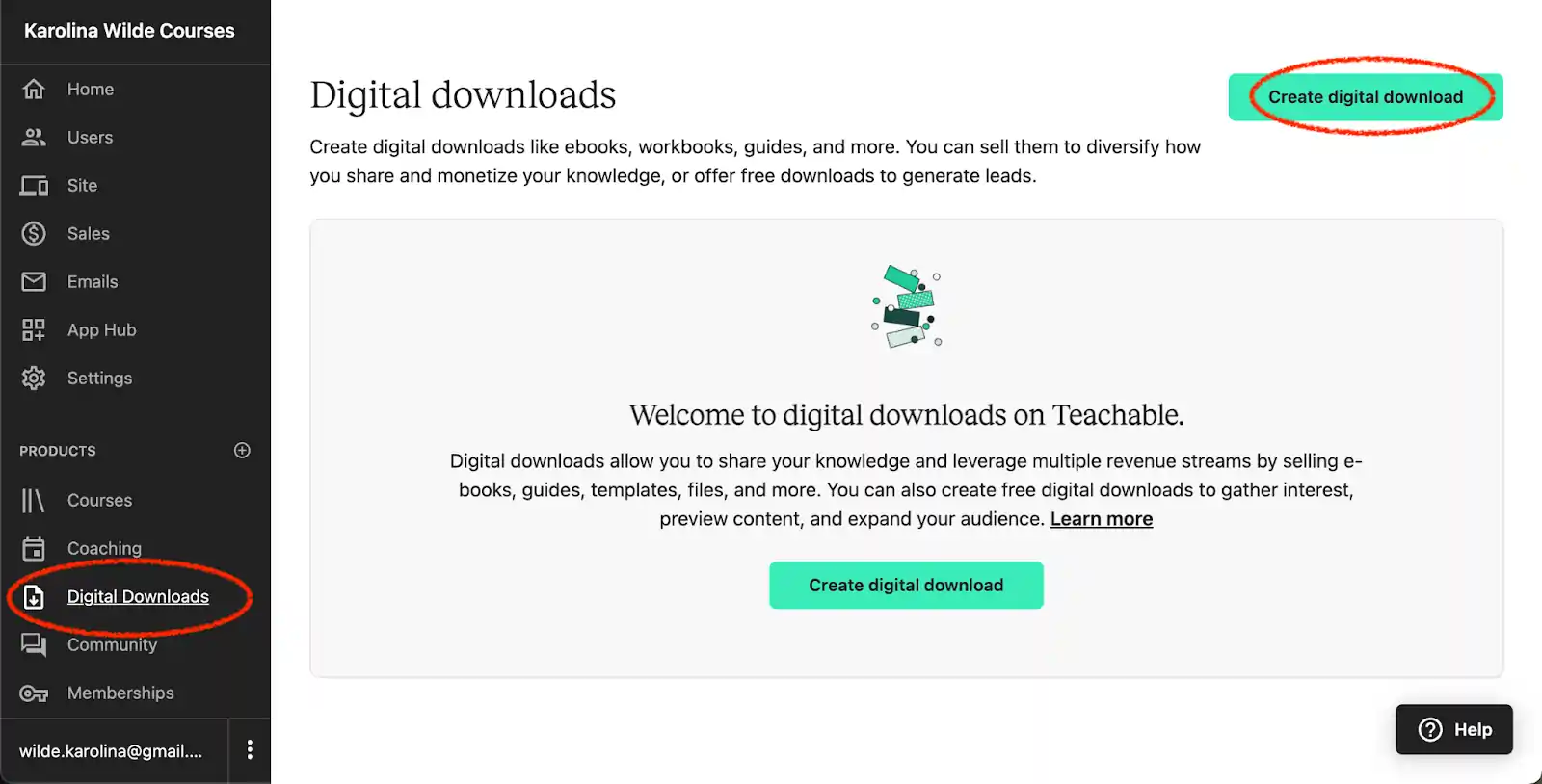
Teachable supports uploading and delivering any file type:
| Download Type | Common Formats | Works Well? |
|---|---|---|
| Ebooks | PDF, EPUB | Yes |
| Templates | PDF, DOCX, PPTX, Canva links | Yes |
| Spreadsheets | XLSX, Google Sheets links | Yes |
| Design Assets | PSD, AI, PNG, SVG | Yes |
| Audio Files | MP3, WAV, M4A | Yes |
| Video Files | MP4 (as downloads, not streaming) | Yes |
| Software/Code | ZIP, RAR | Yes |
| Printables | PDF, PNG | Yes |
| Presets/Filters | Various formats | Yes |
| Checklists/Worksheets | Yes |
There is no file size limit listed by Teachable, though they recommend keeping individual files under 2GB for reliable uploads. For larger products, consider splitting into multiple files or using a cloud storage link.
🛠️ Step-by-Step Setup: The Exact Teachable Hack
Step 1: Create a New Product
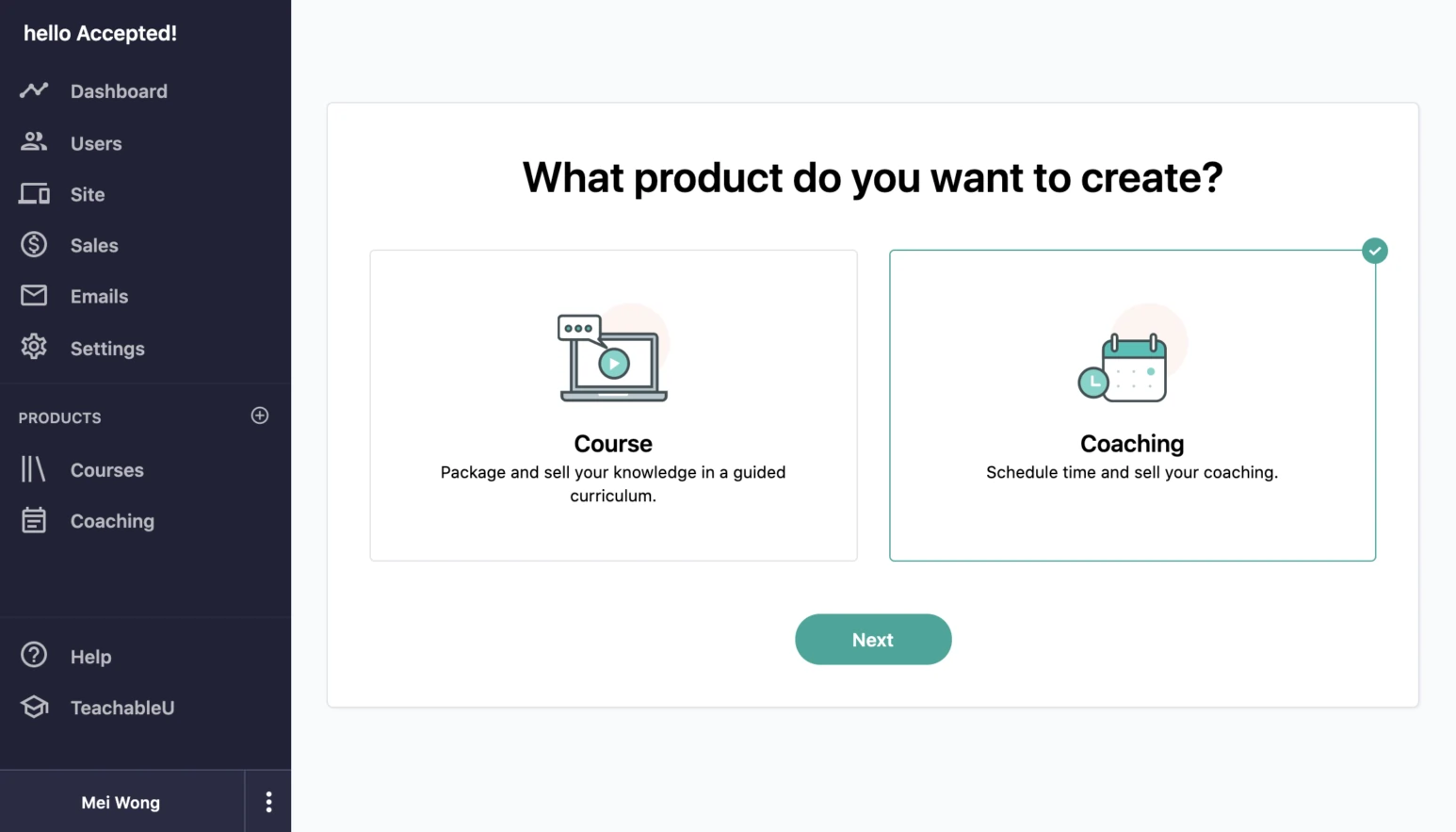
In your Teachable admin:
Step 2: Structure Your Download
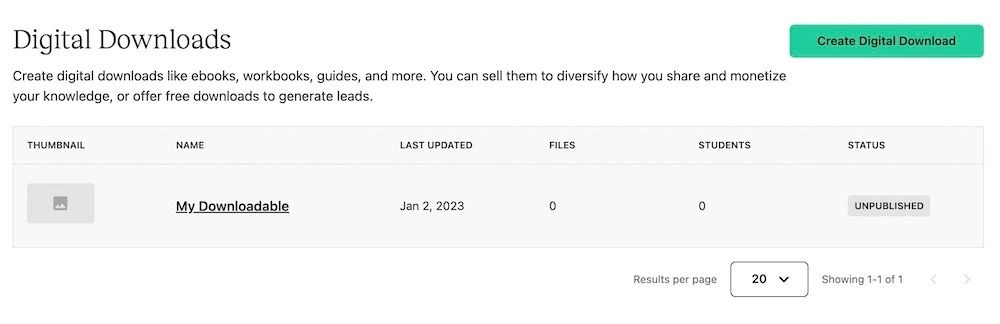
Instead of sections and video lectures, create a simple structure:
Single download (ebook, single template):
Section 1: Your Download
  - Lecture 1: Download Instructions (text)
  - Lecture 2: [Product Name] - Download Here (file attachment)
Bundle (multiple files):
Section 1: Download Your Files
  - Lecture 1: What is Included + Instructions (text)
  - Lecture 2: [File 1] - Social Media Templates (file)
  - Lecture 3: [File 2] - Email Templates (file)
  - Lecture 4: [File 3] - Content Calendar (file)
  - Lecture 5: Bonus: Quick Start Guide (PDF)
Course + Download hybrid:
Section 1: How to Use This Template Pack
  - Lecture 1: Overview Video (video, 5 min)
  - Lecture 2: Customization Tutorial (video, 10 min)
Section 2: Download Your Templates
  - Lecture 1: Template Pack (ZIP file)
  - Lecture 2: Bonus Templates (individual files)
Step 3: Upload Your Files
For each lecture that delivers a download:
Tip: Include a brief text introduction in the lecture before the download link. Explain what the file is, what format it is in, and how to use it. This reduces support questions.
Step 4: Create Your Sales Page
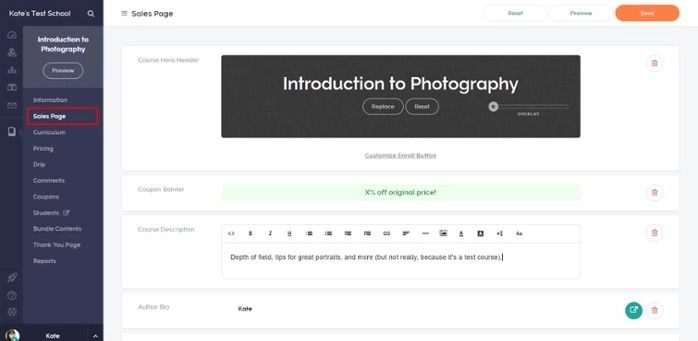
Navigate to Pages within your product. Build a sales page focused on the download's value:
Essential elements for download sales pages:
Step 5: Set Pricing
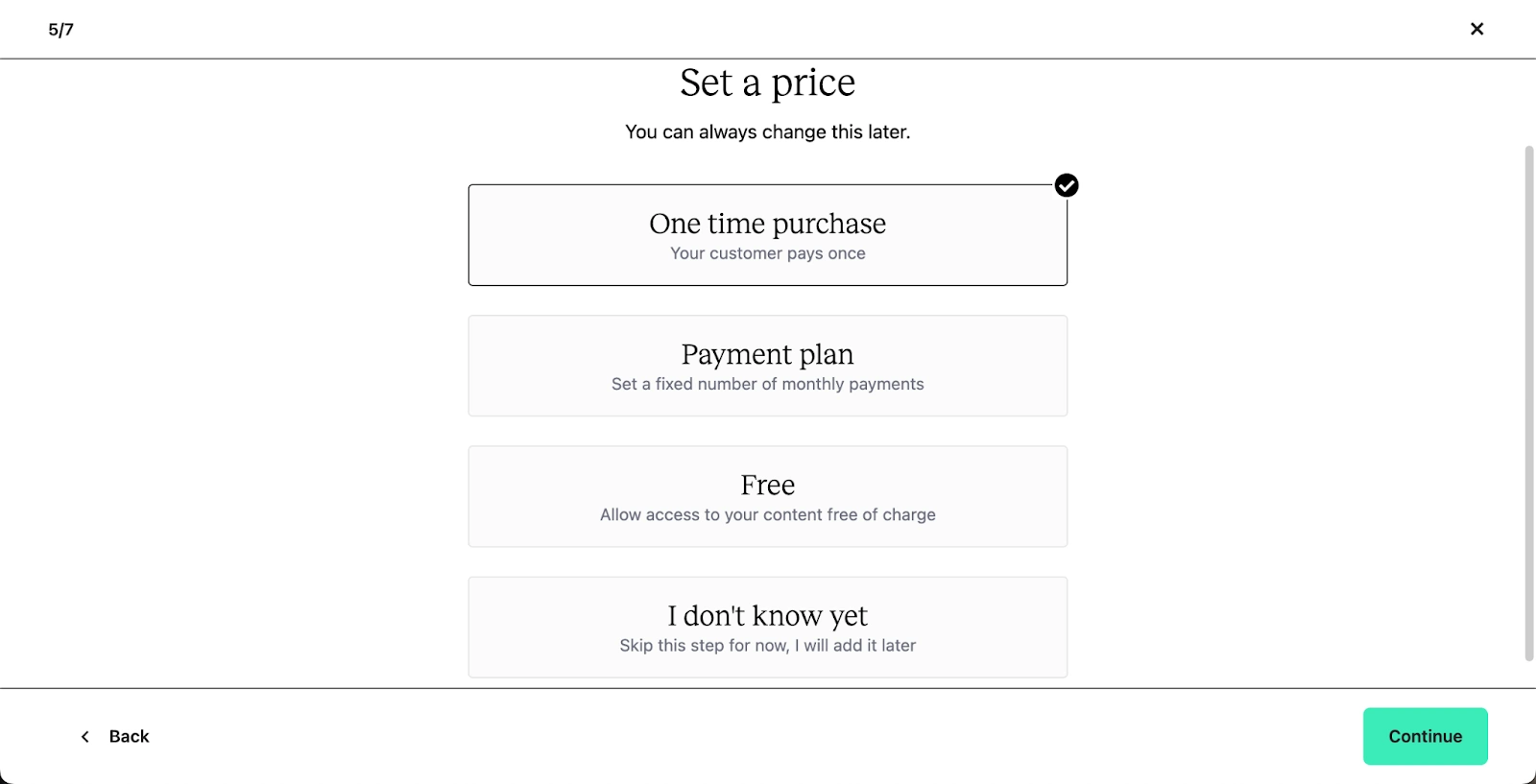
Digital downloads typically sell at lower price points than courses:
| Product Type | Typical Price Range | Best Pricing Model |
|---|---|---|
| Single ebook | $9-29 | One-time payment |
| Template pack | $19-49 | One-time payment |
| Comprehensive toolkit | $49-99 | One-time payment |
| Premium resource library | $29-49/month | Subscription |
| Mini toolkit (lead magnet) | $0-9 | Free or low-ticket |
From my experience: My best-selling digital download on Teachable is a $27 template pack that took 2 days to create. It generates approximately $400-500/month in passive revenue with minimal promotion. The course content around it (tutorial videos) took 2 weeks but increased the perceived value enough to justify the price.
Step 6: Configure Delivery Settings
By default, buyers get immediate access to all content after purchase. For downloads, this is exactly what you want — no drip scheduling needed.
Make sure:
Selling Digital Downloads: Tips From 4 Months of Testing
Tip 1: Bundle Downloads With Short Tutorials
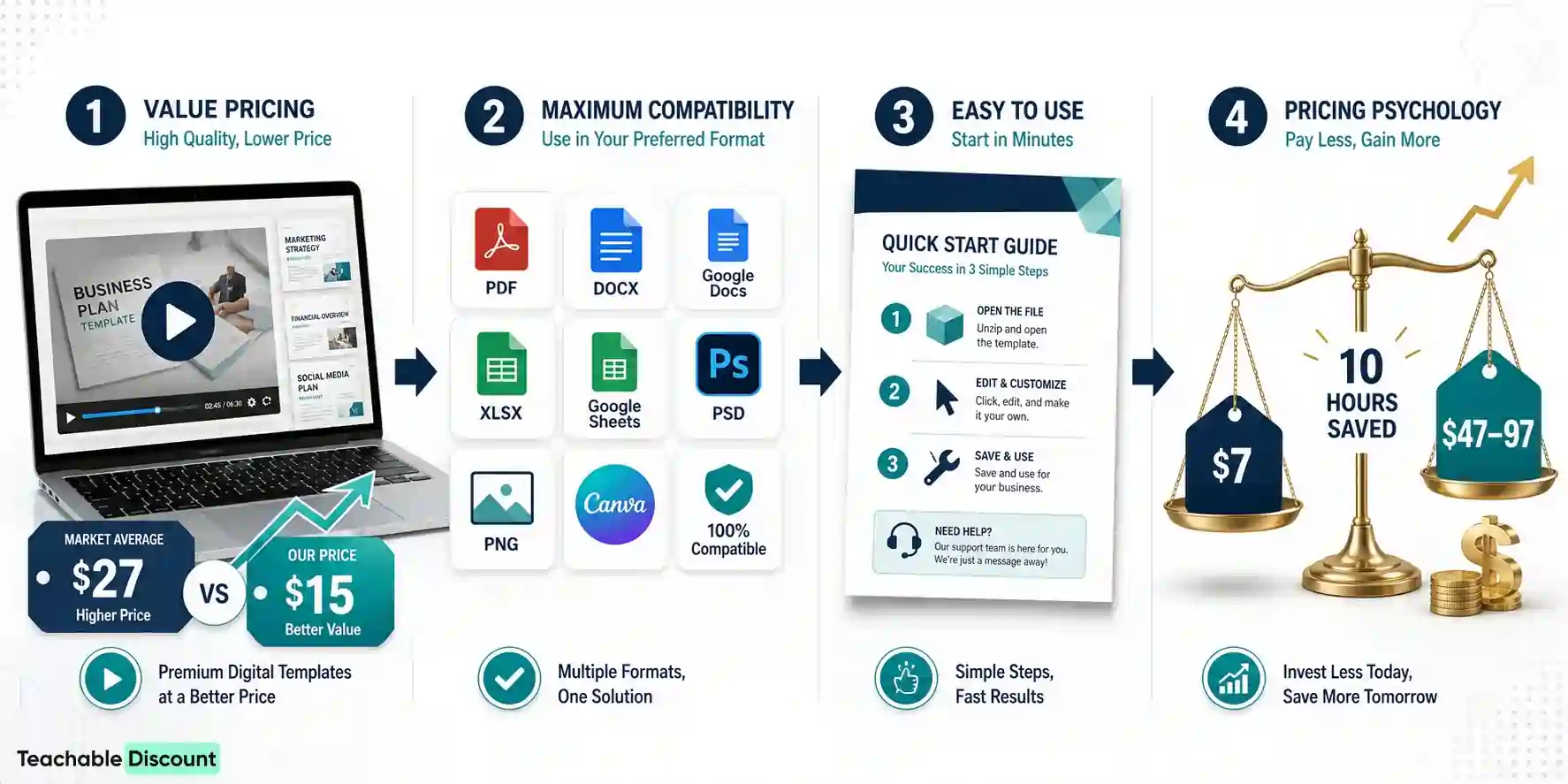
Pure downloads sell. But downloads with video tutorials explaining how to use them sell better and at higher prices.
My $27 template pack outsells a similar creator's $15 template-only product because I included 3 short tutorial videos (total 20 minutes). The tutorials do not need to be elaborate — screen recordings showing how to customize each template are enough.
Tip 2: Use Multiple File Formats
When possible, provide downloads in multiple formats:
More format options mean fewer “I cannot open this file” support emails and fewer refund requests.
Tip 3: Include a Quick Start Guide
Add a 1-page PDF quick start guide as the first download. It should explain:
This reduces the initial overwhelm that causes buyers to never actually use what they purchased.
Tip 4: Price Higher Than You Think
First-time digital product creators consistently underprice. A $7 ebook that saves someone 10 hours of work is priced wrong. Price based on the value of the outcome, not the production cost or page count.
Test pricing by starting at a higher price point and adjusting down if conversions are too low. It is easier to lower a price than to raise it.
Limitations of Selling Downloads on Teachable
No License Key System
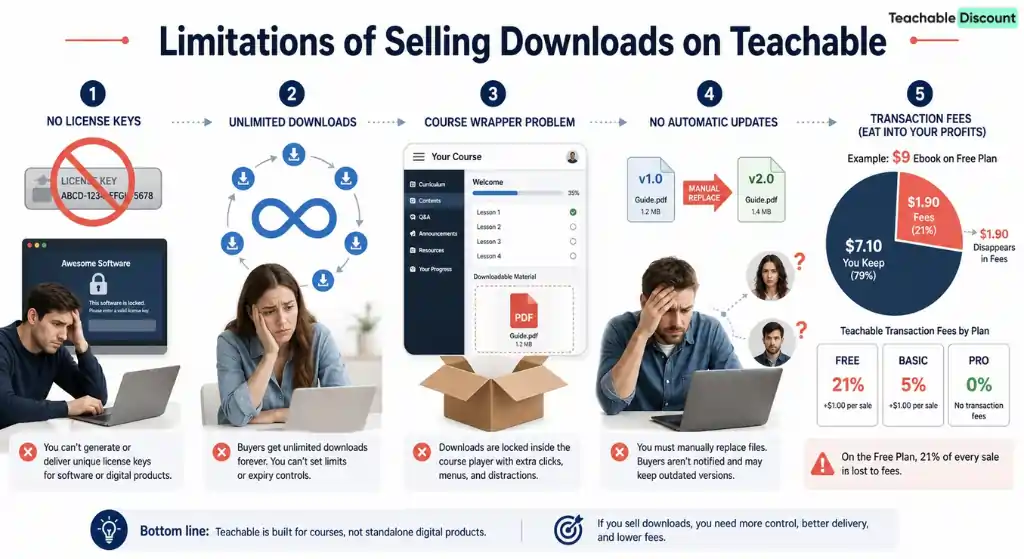
Teachable does not generate license keys. If your digital product requires software activation or unique licenses, you need a separate delivery system.
No Download Limit Controls
Once a buyer has access, they can download files unlimited times. You cannot restrict the number of downloads per purchase. For most products this is fine, but for limited-use licenses it is a problem.
The “Course” Wrapper
Your digital download product is technically a “course” in Teachable. Buyers see the course interface — sections, lectures, progress tracking. For pure downloads, this can feel like overkill. The solution: keep your structure minimal (1 section, 1-2 lectures) so it feels more like a download page than a course.
No Automatic Updates
If you update a digital product, you need to manually replace the file in the lecture. There is no version management or automatic notification to existing buyers about updates. You can email previous buyers through Teachable's email tools, but the process is manual.
Transaction Fees Apply
The same transaction fee structure applies to downloads as to courses:
On lower-priced digital products, the Free plan fees are devastating. A $9 ebook on the Free plan loses $1.90 per sale (21% in Teachable fees alone). Move to at least the Basic plan if you are selling multiple downloads.
See the full pricing breakdown for the complete fee analysis.
Teachable vs Dedicated Download Platforms
| Feature | Teachable | Gumroad | SendOwl | Payhip |
|---|---|---|---|---|
| Pricing | $39-199/month + fees | 10% flat fee | $9-24/month | 5% flat fee |
| Course Hosting | Yes | Limited | No | Limited |
| License Keys | No | Yes | Yes | Yes |
| Download Limits | No | Yes | Yes | Yes |
| Pay-What-You-Want | No | Yes | No | Yes |
| Email Marketing | Basic | Built-in | No | Basic |
| Affiliate Program | Pro+ only | Yes | Yes | Yes |
| PDF Stamping | No | No | Yes | No |
Digital Download Ideas for Course Creators
If you already sell courses on Teachable, downloads are natural companion products:
These products serve two purposes: additional revenue and lead generation for your main courses.

OUR RECOMMENDATIONS


