
Teachable Coaching Feature: How to Offer 1-on-1 Sessions in 2026


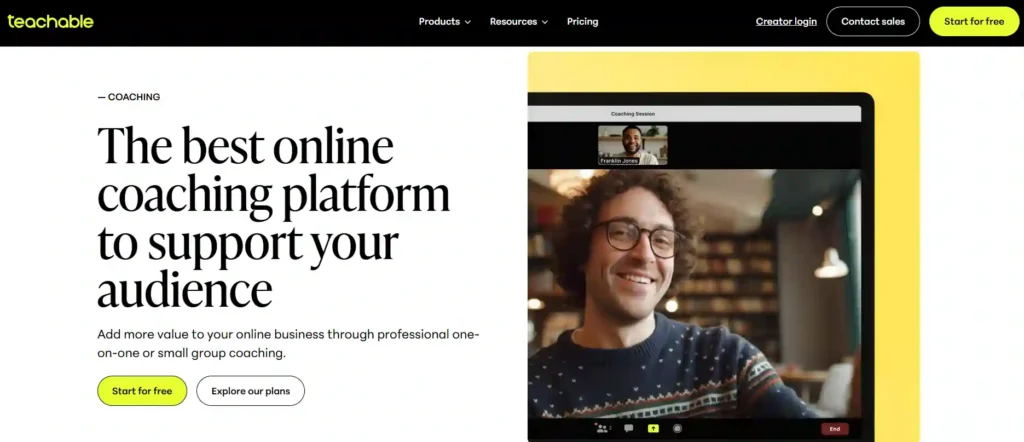
Teachable's native coaching feature is one of the platform's genuine differentiators. While Thinkific and Podia require external tools for coaching, Teachable lets you sell and manage 1-on-1 coaching packages directly within the platform.
After setting up coaching alongside my courses and working with 12 coaching clients over 4 months, here is the complete setup guide and honest assessment.
Quick Summary: Teachable coaching works well for structured coaching programs with clear milestones and fixed pricing. It handles payment collection, milestone tracking, and basic client management. The limitations: no built-in video calling, no calendar scheduling integration, and no group coaching option. Available starting on the Starter plan ($39/month).
What Teachable Coaching Includes
| Feature | Details |
|---|---|
| Coaching Product Type | Separate from courses — dedicated product type |
| Milestones | Create trackable milestones clients progress through |
| Pricing | One-time, subscription, or payment plans |
| Client Limit | No limit per coaching product |
| Messaging | Built-in comments between coach and client |
| File Sharing | Upload and share files within the coaching space |
| Progress Tracking | Visual milestone completion tracking |
| Available On | Starter (39/mo), Builder(89/mo), and Growth ($189/mo) plans |
Step-by-Step Coaching Setup
Step 1: Create a Coaching Product
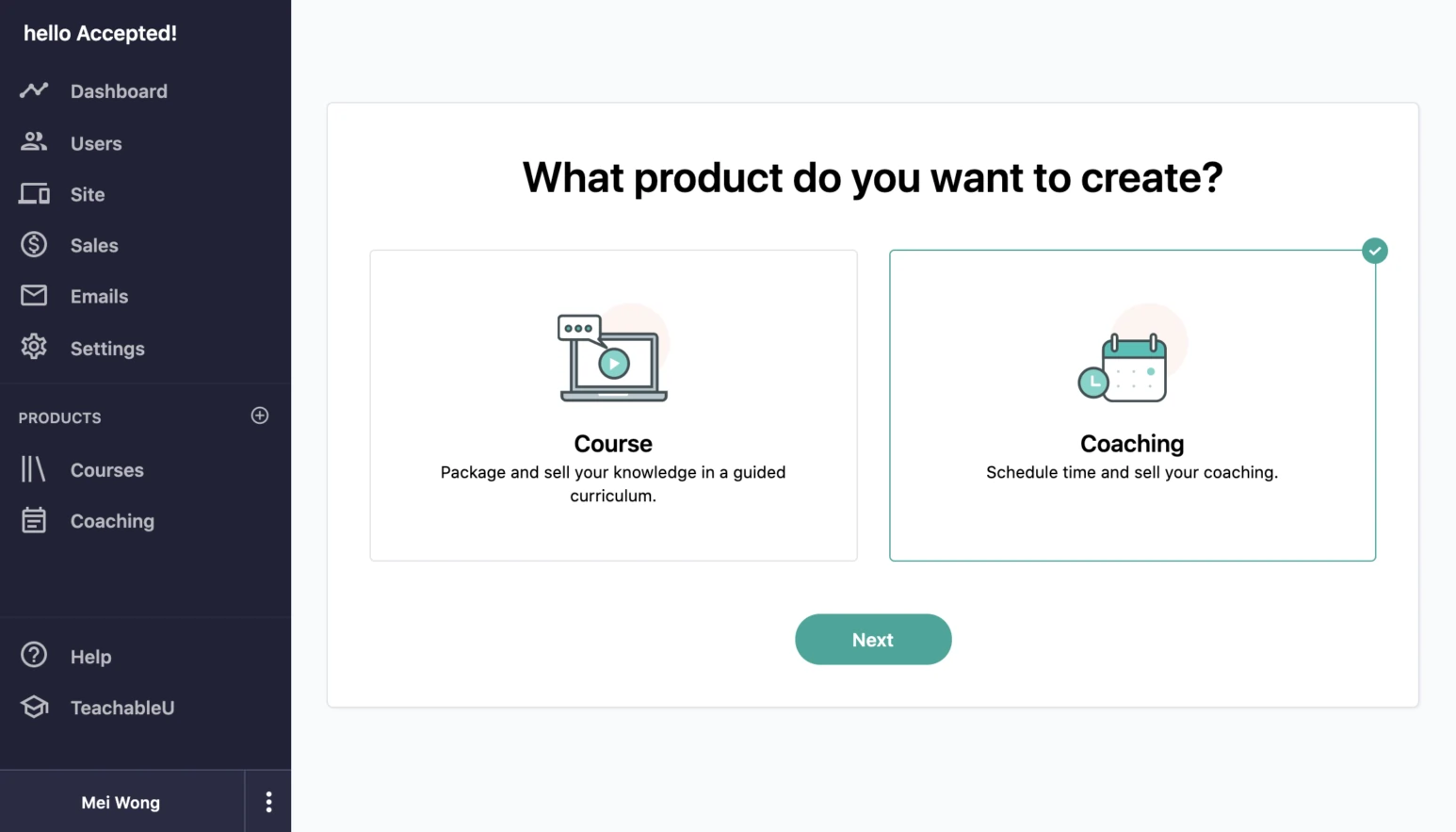
Navigate to your Teachable admin panel. Click “Products” then “New Product” and select “Coaching” as the product type.
Give your coaching product a name that clearly communicates what the client gets. Examples that work well:
Avoid vague names like “Premium Coaching” — specificity sells.
Step 2: Define Your Milestones
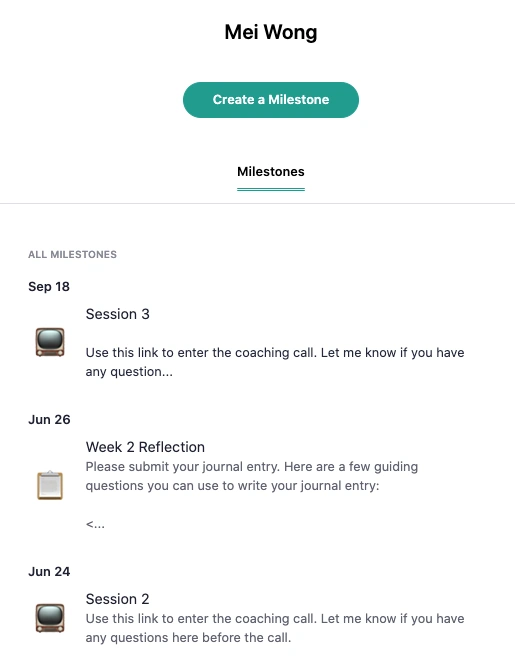
Milestones are the backbone of Teachable's coaching structure. Think of them as the phases or checkpoints of your coaching engagement.
Example milestone structure for a course launch coach:
- Course Topic Validation (Week 1-2)
- Curriculum Design (Week 3-4)
- Content Creation Plan (Week 5-6)
- Platform Setup and Pricing (Week 7-8)
- Launch Marketing Strategy (Week 9-10)
- Launch Week Execution (Week 11-12)
- Post-Launch Optimization (Week 13+)
Each milestone can include:
Milestones give structure to what can otherwise be an amorphous coaching relationship. Clients appreciate knowing where they are in the process, and it helps you manage multiple clients without losing track of each one's progress.
Step 3: Set Your Pricing
Teachable offers three pricing options for coaching:
One-Time Payment: Client pays once for the full coaching package. Best for fixed-duration programs with a clear deliverable.
Payment Plan: Split the total price into multiple payments. Best for making premium coaching accessible.
Subscription: Recurring monthly payment for ongoing coaching. Best for open-ended coaching relationships.
In my testing, payment plans converted 35% better than one-time payments for coaching products priced above $1,000. The subscription model worked best for clients who needed ongoing accountability rather than a fixed program.
Step 4: Create Your Sales Page
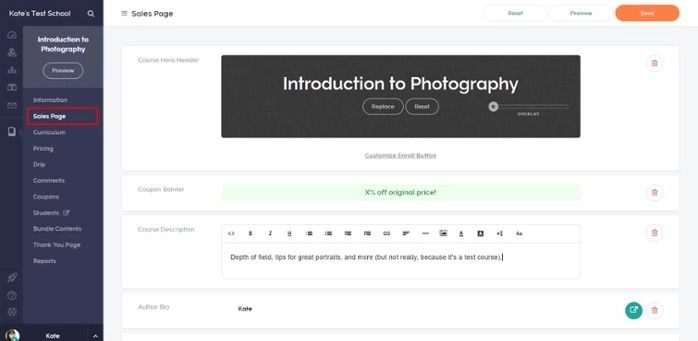
Teachable's sales page editor works the same for coaching products as for courses. Include:
The sales page editor is functional but limited in design flexibility. If you need a more polished sales page, create it on your main website and link to Teachable checkout.
Step 5: Set Up Communication
Teachable coaching uses a built-in comment system for coach-client communication. Each milestone has its own comment thread, keeping discussions organized by topic.
What works well:
What is missing:
Step 6: Onboard Your First Client
When a client purchases your coaching product, they gain access to the milestone view. Here is the recommended onboarding workflow:
- Client receives automatic enrollment email (customize this in Teachable settings)
- Post a welcome message in the first milestone's comments
- Share your scheduling link (Calendly, Acuity, etc.) for booking sessions
- Attach any intake forms or questionnaires to the first milestone
- Set expectations for response times and session frequency
Real Use Case: My Coaching Setup
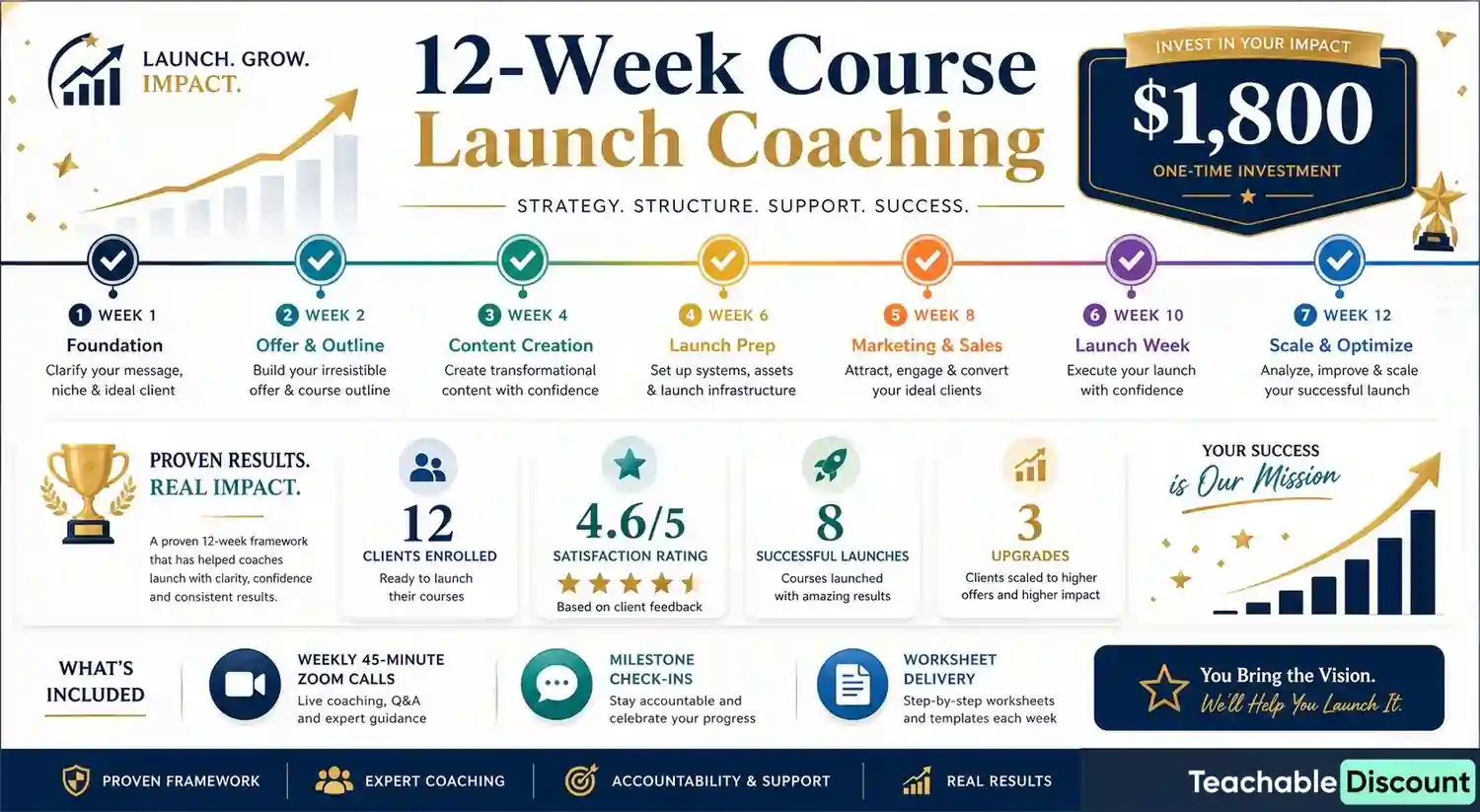
Here is exactly how I structured my coaching on Teachable:
Product: 12-Week Course Launch Coaching — $1,800 (or 3x $650)
Structure:
Results over 4 months:
What worked: The milestone structure kept clients accountable. Several clients told me the visual progress tracking motivated them to complete each phase on time.
What did not work: Managing Zoom scheduling separately from Teachable created friction. Clients would sometimes message on Zoom chat instead of Teachable, splitting conversations across platforms.
Coaching Pricing Strategy
Based on testing different price points, here are pricing benchmarks for Teachable coaching:
| Coaching Type | Typical Price Range | Best Pricing Model |
|---|---|---|
| Single session | $100-300 | One-time |
| 4-week sprint | $500-1,500 | One-time or 2 payments |
| 12-week program | $1,500-5,000 | 3-4 payment plan |
| Ongoing monthly | $250-500/month | Subscription |
| VIP/intensive | $3,000-10,000+ | Payment plan (3-6 payments) |
The sweet spot for most coaches starting on Teachable is a 12-week structured program at $1,200-2,000 with a 3-payment option. This gives clients enough time to see results while keeping the commitment manageable.
Limitations You Should Know
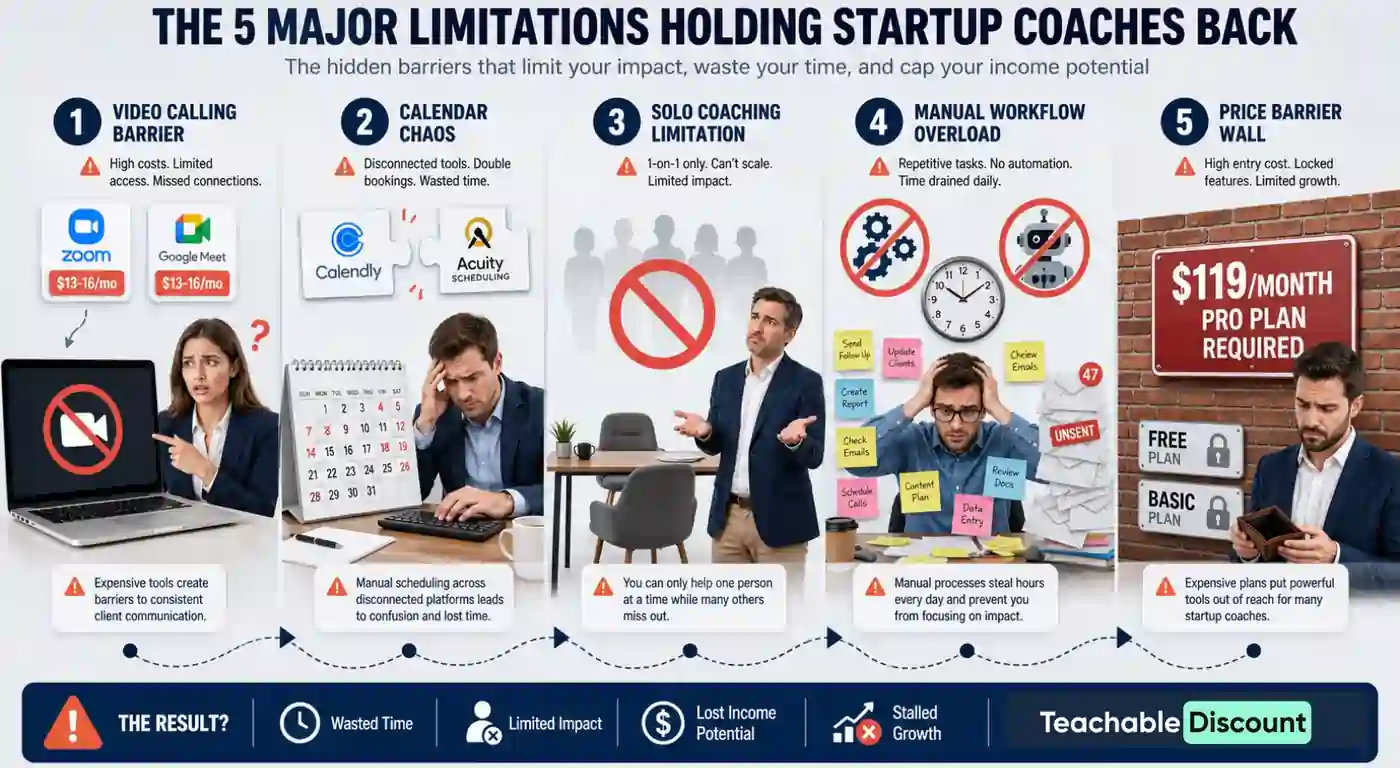
No Built-In Video Calling
You need Zoom, Google Meet, or another video platform. This adds cost ($13-16/month for Zoom Pro) and complexity.
No Calendar Integration
Teachable does not integrate with Calendly, Acuity, or any scheduling tool natively. You share your scheduling link manually or in milestone descriptions.
No Group Coaching
Each coaching product is 1-on-1. If you want group coaching, you need to use the community feature as a workaround or manage it outside Teachable.
No Automation
There are no automated workflows for coaching. You cannot auto-send reminders, auto-advance milestones, or trigger emails based on coaching progress.
Product Limits on Lower Plans
Coaching is now available on the Starter plan, but you're limited to 5 total published products (courses + coaching); the Builder plan ($89/month) raises that limit to 10. If you offer multiple coaching tiers alongside courses, you may hit these limits quickly.
Teachable Coaching vs Alternatives
| Platform | Native Coaching | Scheduling | Video | Price |
|---|---|---|---|---|
| Teachable | Yes (milestones) | No (external) | No (external) | $39/mo+ |
| Kajabi | Limited (pipelines) | No | No | $149/mo+ |
| CoachAccountable | Yes (full-featured) | Yes | Yes (Zoom integration) | $20-80/mo |
| Practice | Yes (full-featured) | Yes | Yes | $35-60/mo |
If coaching is your primary business, dedicated coaching platforms like CoachAccountable or Practice offer more features at lower prices. But if you sell courses AND coaching together, Teachable's integrated approach means clients manage both in one place.
Is Teachable Coaching Worth It?
For course creators who also offer coaching, Teachable's coaching feature adds meaningful value. Having courses and coaching in one platform simplifies the client experience and reduces the tools you manage.
For creators who do not sell courses, a dedicated coaching platform is a better investment. Teachable's coaching is good as an add-on to courses, not as a standalone solution. See our Teachable alternatives guide for more options.

OUR RECOMMENDATIONS


